Accept a work order
A property manager sends you a link to one repair job. Open it to see the work and accept or decline it, with no account needed.
When a property manager on Holuway gives you a repair, we email you a link to that one job. You do not need an account. The page, Holuway work order, shows only what the job needs.
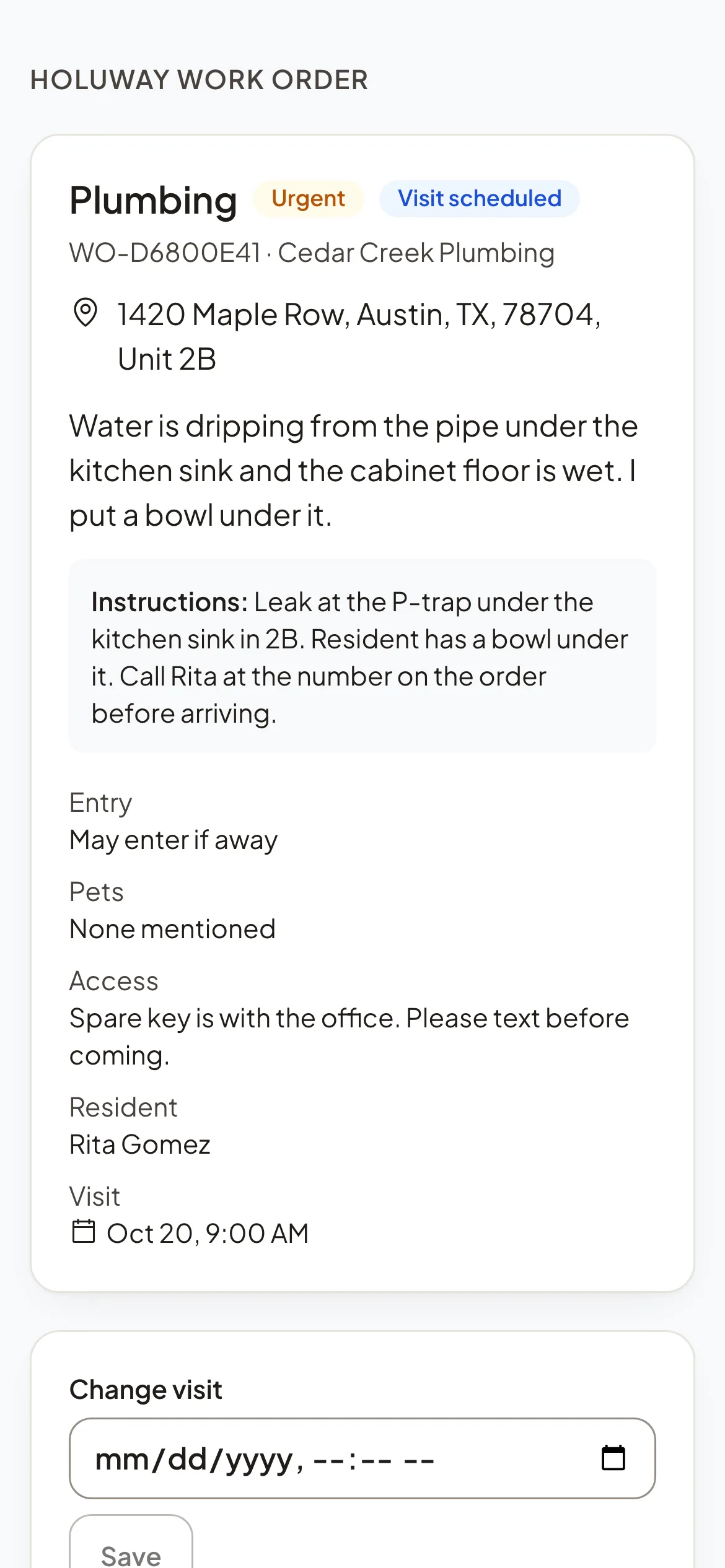
What the work order shows
- The kind of repair, its priority and where it stands.
- The address, and the unit or common area.
- The problem as reported, and any Instructions from the manager.
- Entry, whether you may enter if the resident is away, Pets, and Access notes.
- Resident: a name and phone, only when the manager chose to share them.
- The Photos the manager chose to share with you.
Accept or decline
- Step 1Read the job.
- Step 2Select Accept the job, or Decline.
- Step 3If you decline, say why under Why? and select Decline. The property manager is told and the link stops working.
Once you accept, you can schedule your visit, add photos, estimates and invoices, and write to the manager.
Note: The link is for you alone. It works until the job ends or is given to someone else, for at most 30 days.