Find your lease and documents
Download your signed lease, open the files your property shared, add your own, and find your move-in and move-out reports.
In your dashboard
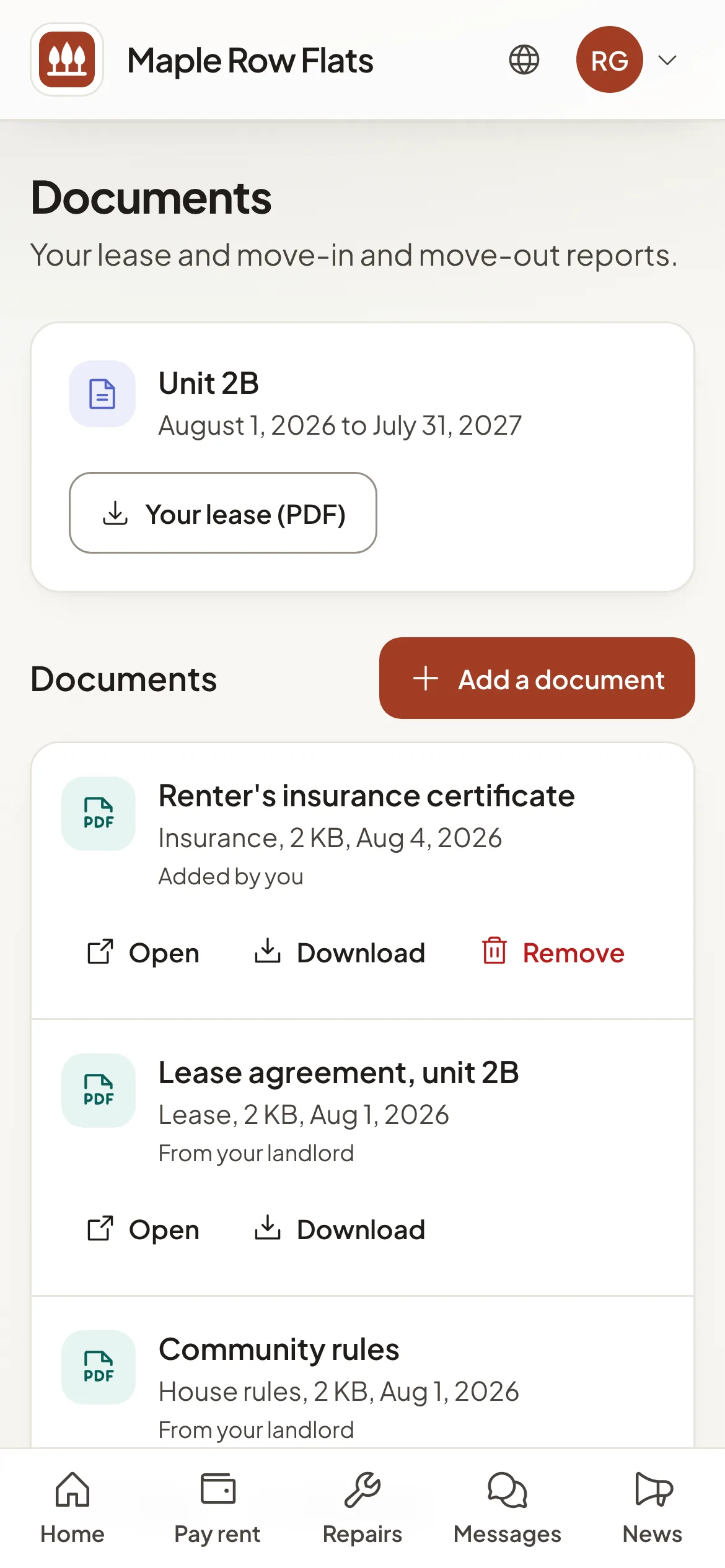
Open Documents. Under Your lease, select Lease (PDF) to download each signed lease. Below it are the files the people who manage your home shared with you, such as house rules, notices or lease addendums; select Open or Download.
My home also has Your lease (PDF) and, once your landlord has done them, your Move-in report and Move-out report.
In your resident portal
Open Documents; on a phone it is in the account menu under your initials. You see Your lease with Your lease (PDF), then the files your property shared. Inspection reports are in your Holuway dashboard: select Open inspection reports.
Add your own
- Step 1Select Add a document.
- Step 2Choose its Kind, such as insurance or a receipt, and a Name if you want one other than the file name.
- Step 3Choose the file: a PDF or a photo (JPEG, PNG, WebP or HEIC), up to 10 MB. Photos lose their location data.
- Step 4If you have more than one lease, choose For which lease, then select Upload.
The people who manage your home see what you add. You can Remove a document you added; Holuway keeps a record of who removed it and when. You can add documents while your lease is pending or active.
Why is there no lease PDF yet?
Your lease appears once it is signed. Until then the portal says No signed lease yet.
Am I told about new documents?
Yes. We email you when a file is shared with you. You can turn off Shared documents in your email preferences.